Add NexCite Content to Your Website
NexCite Connect content can be displayed on virtually any website using the Portable URL Code feature. Simply copy the code snippet provided in NexCite Connect and paste it into a custom HTML or embed area on your website.
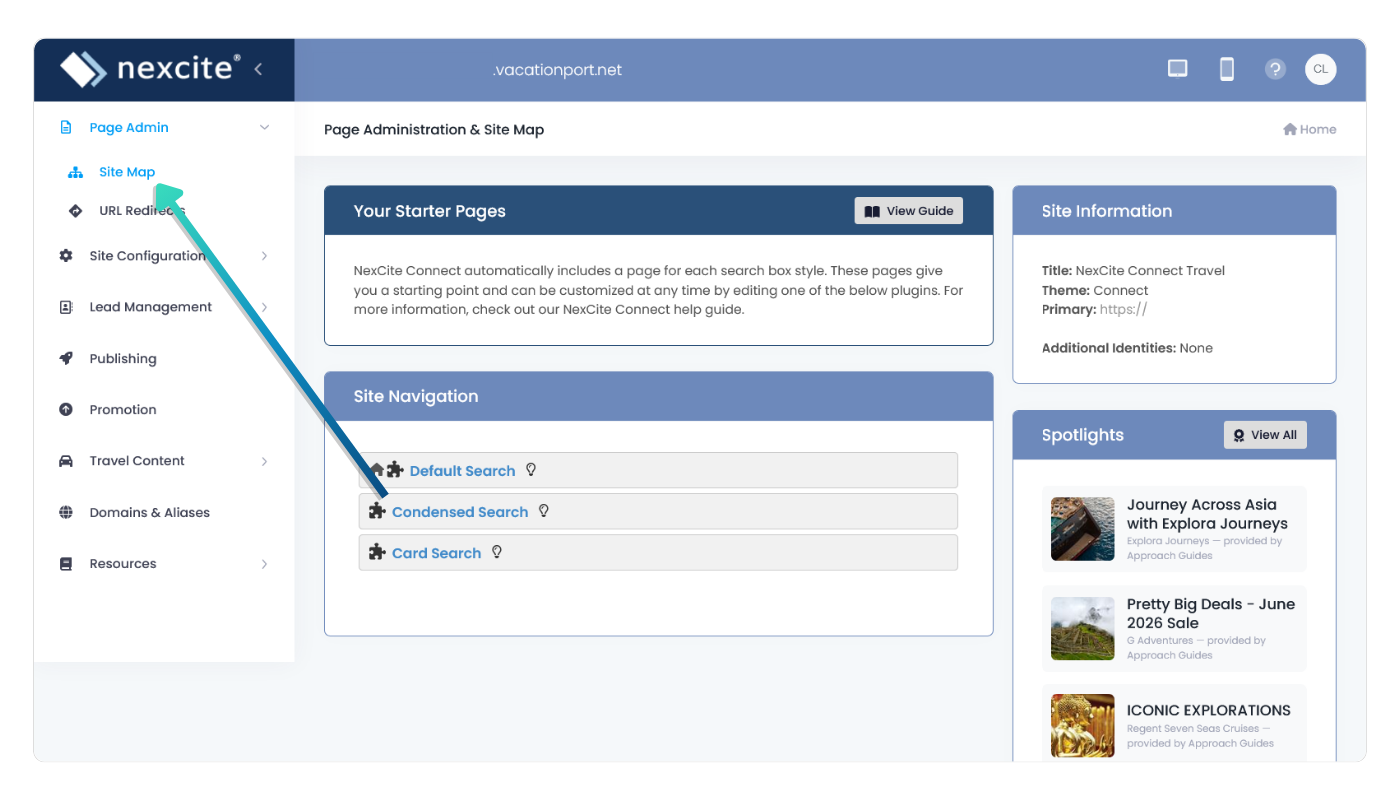
Open a Search Page
Navigate to the NexCite page you would like to display on your website.
In this example, the Default Search page is being used.
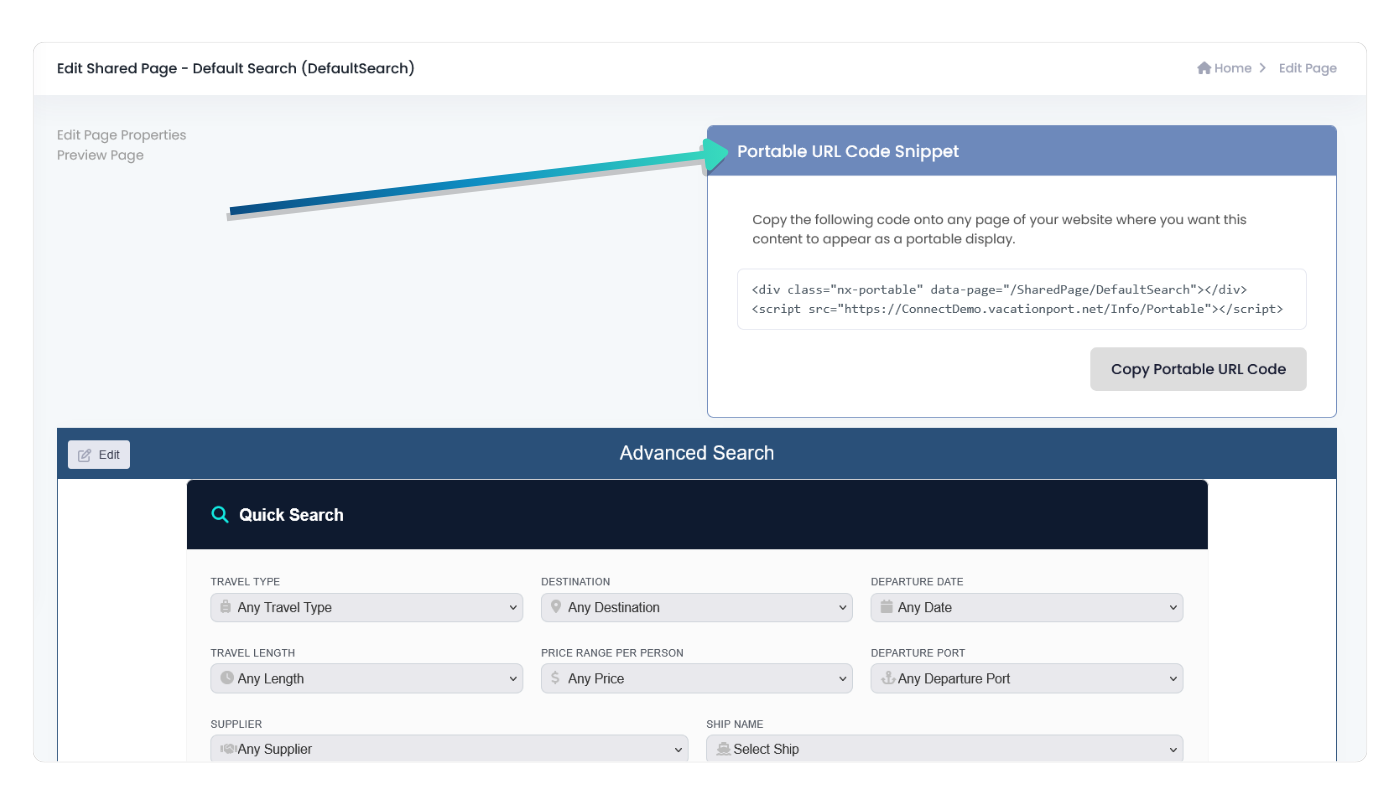
Locate the Portable URL Code Snippet
Locate the Portable URL Code Snippet panel on the right side of the page.
This panel contains the code required to display the NexCite content on another website.
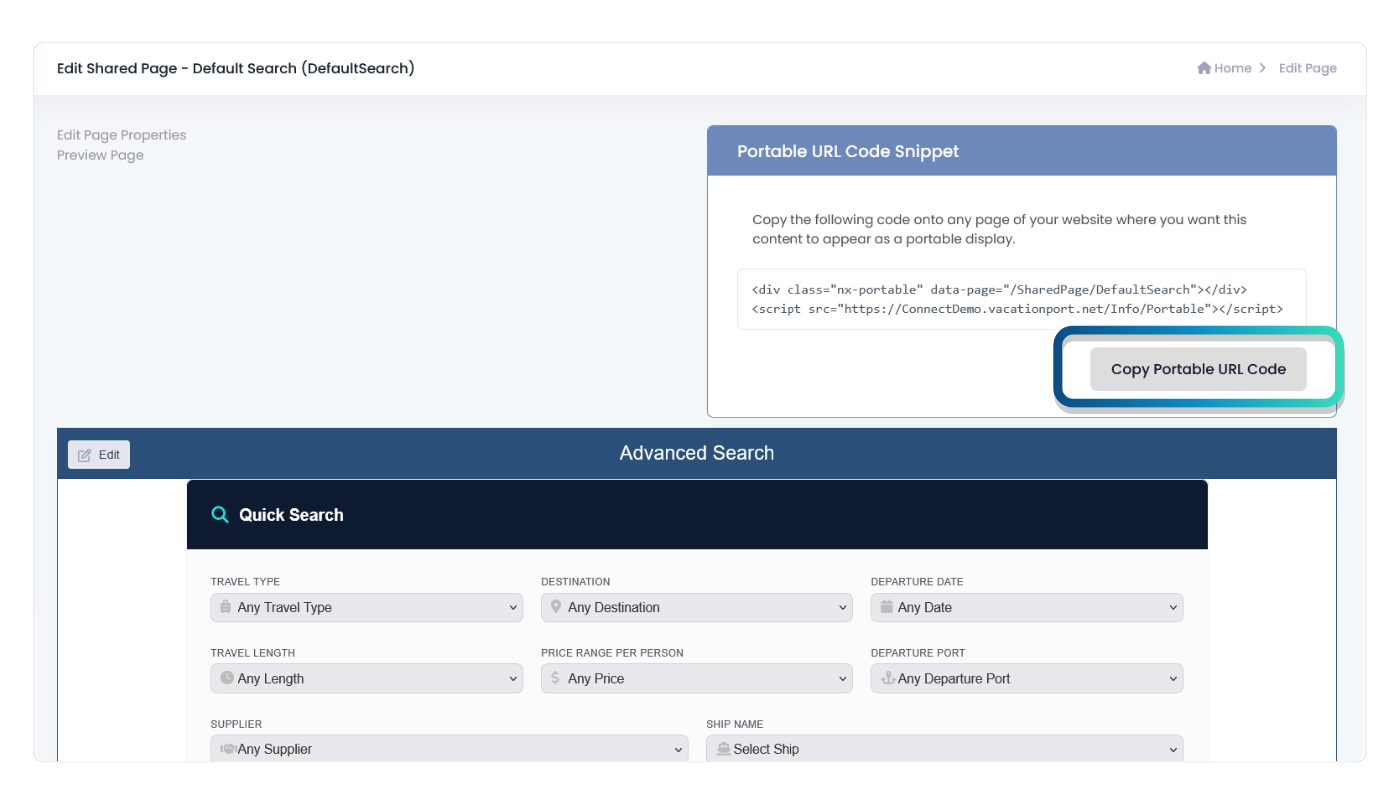
Copy the Portable URL Code
Click Copy Portable URL Code.
The complete embed code will be copied to your clipboard and ready to paste into your website.
Add the Code to Your Website
After copying the Portable URL Code, add it to the page where you want the NexCite content to appear.
- Open the page you want to edit.
- Add a Custom HTML, Embed Code, or Code Block element.
- Paste the Portable URL Code.
- Save or publish your changes.
- Refresh the page and verify the content displays correctly.
Most modern website platforms provide a way to add custom HTML or embed code directly into a page.
Popular Website Platforms
Weebly
- Edit the page.
- Drag the Embed Code element onto the page.
- Select Edit Custom HTML.
- Paste the Portable URL Code.
- Publish the website.
WordPress
- Edit the page or post.
- Add a Custom HTML block.
- Paste the Portable URL Code.
- Update or publish the page.
Wix
- Select Add Elements.
- Choose Embed Code.
- Select Embed HTML.
- Paste the Portable URL Code.
- Publish the site.
Squarespace
- Edit the page.
- Add a Code Block.
- Paste the Portable URL Code.
- Save and publish.
GoDaddy Website Builder
- Edit the page.
- Add an HTML or Embed section.
- Paste the Portable URL Code.
- Publish the changes.
Custom Websites
- Open the page source or template.
- Paste the Portable URL Code where the content should appear.
- Save the file.
- Publish or deploy the changes.
Troubleshooting
- Make sure the entire Portable URL Code was copied.
- Verify the code was pasted into an HTML or Embed element, not a text block.
- Publish or save changes on your website after adding the code.
- Clear your browser cache if updates do not appear immediately.
- If the content still does not display, contact your website provider to confirm that custom HTML and JavaScript embeds are supported.