Search Box Customization

Choose a Search Box Style

NexCite Connect includes multiple search box display styles so you can match the search experience to your website layout and design.

Each display style is optimized for a different use case, from large featured search sections to compact embedded layouts.

Compare Styles

Use this table to decide which display style is best for your page.

Style
Best Use
Space Usage
Header Area
Default
Main search section or dedicated search pages
Takes up the most space
Included
Condensed
Hero banners, sidebars, or secondary placement
Takes up less space
Not included
Card
Multi-column or grid layouts with limited width
Optimized for narrow widths
Included

Search Box Styles

Review each display style and when to use it.

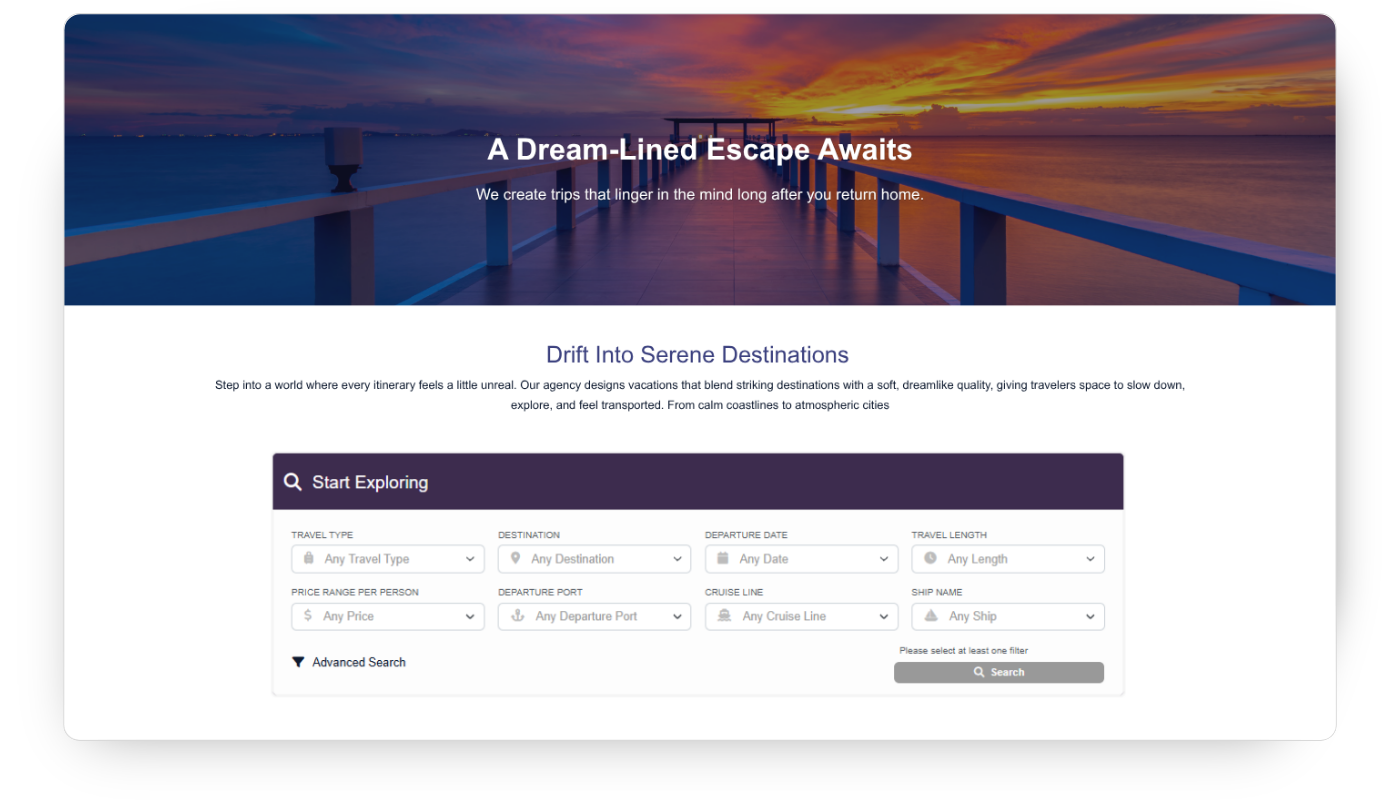
Default Most Common

The Default style is designed to be a primary feature on a page. It includes the full search experience and takes up the most space of all display styles.

Best for:
  • Homepage search sections
  • Dedicated travel search pages
  • Full-width layouts

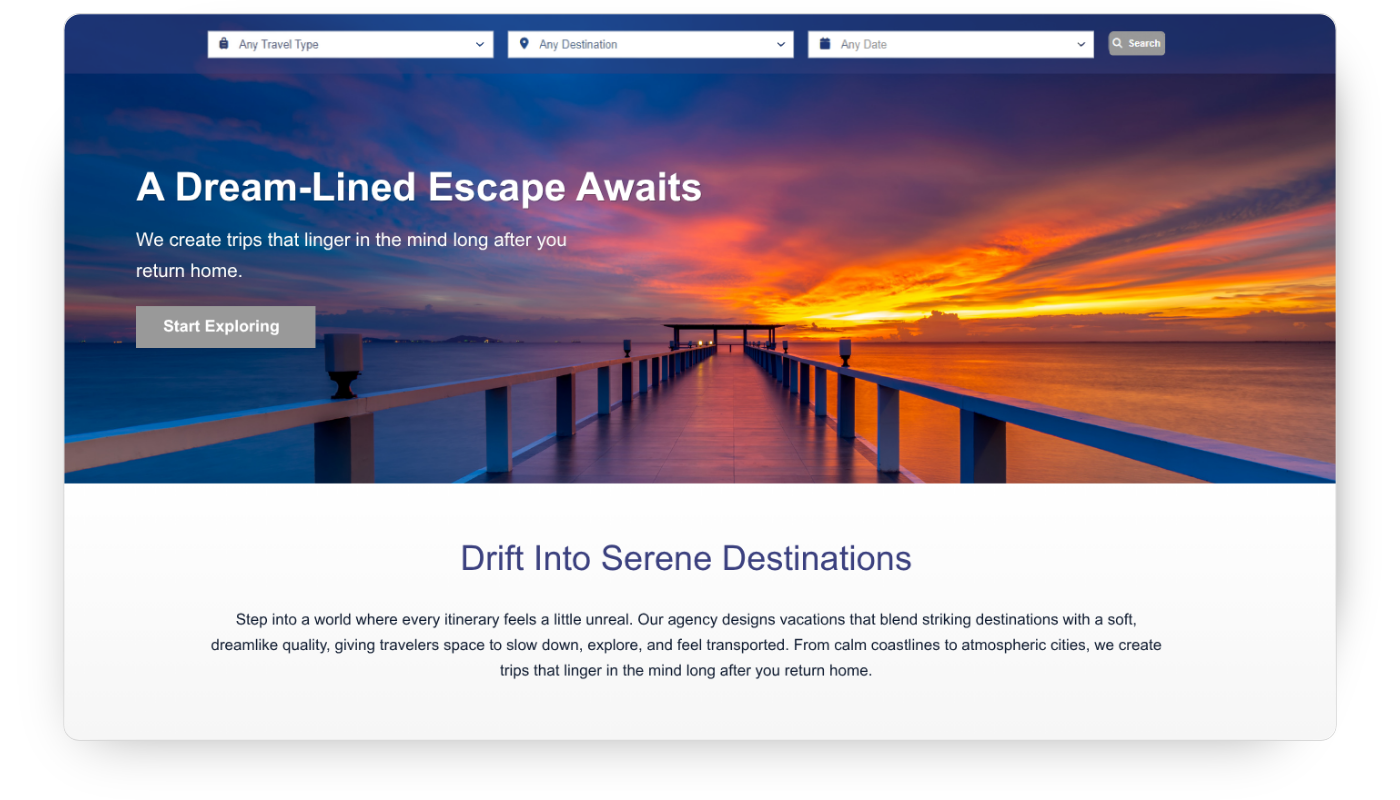
Condensed Compact

The Condensed style is designed for layouts where the search box should take up less space. It works well with hero images, banners, sidebars, or supporting page content.

Unlike the Default style, the Condensed style does not include a header area.

Best for:
  • Hero banner overlays
  • Secondary search areas
  • Compact page layouts

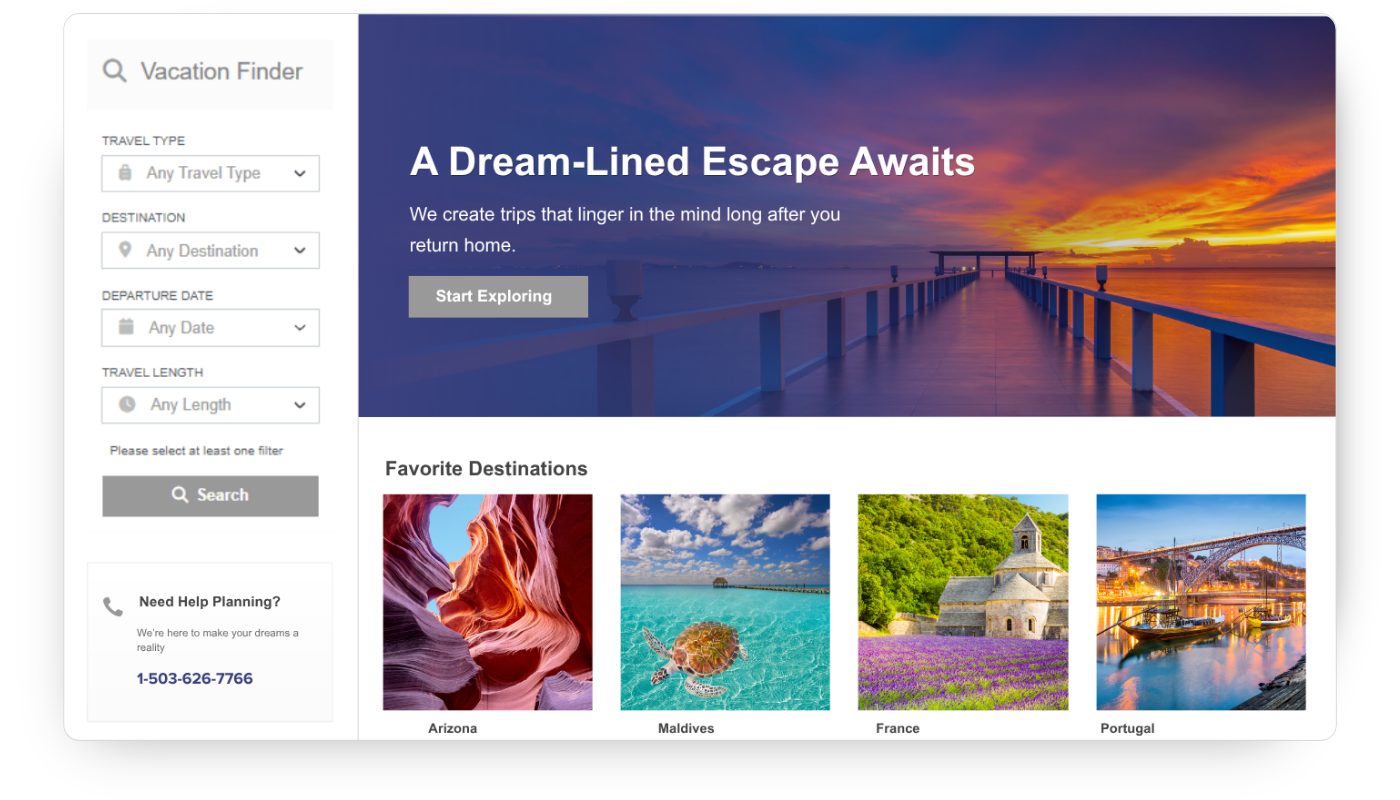
Card Multi-Column

The Card style is optimized for narrower layouts and multi-column page designs. It displays cleanly in smaller content areas while maintaining usability.

Best for:
  • Multi-column layouts
  • Grid-based designs
  • Smaller content sections

Next: Customize a Search Box

After choosing a display style, customize the layout, colors, fonts, spacing, and search fields.

Continue