Publish or Discard Changes
The Publishing area allows you to review unpublished changes, publish updates to your NexCite Connect, or discard unwanted changes.
Open the Publishing Page
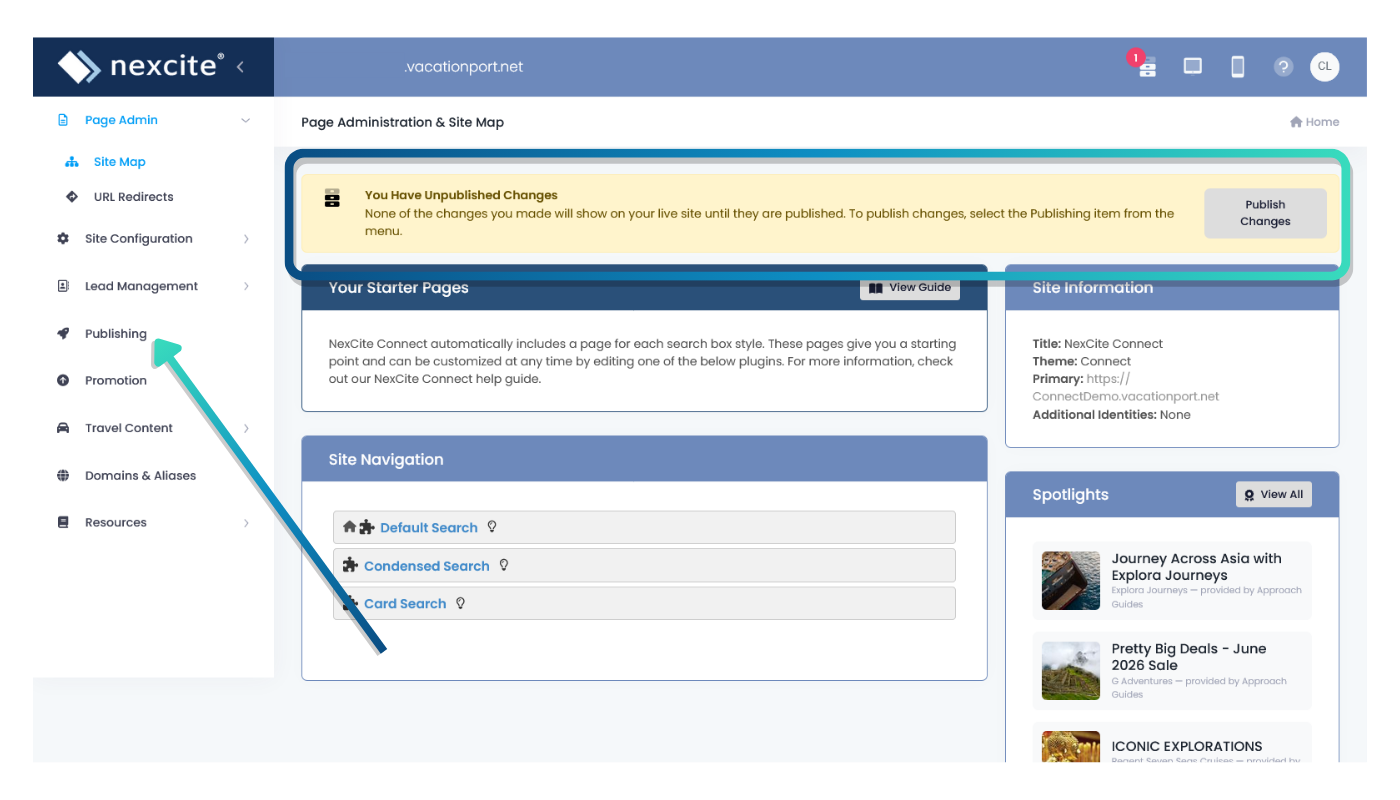
From the left navigation menu, select Publishing.
If your site has unpublished changes, a yellow notification banner will appear at the top of the dashboard. This banner lets you know that updates are waiting to be published and includes a Publish Changes button that takes you directly to the Publishing page.
Changes made in NexCite Connect will not appear on your live site until they have been published.
Review Pending Changes
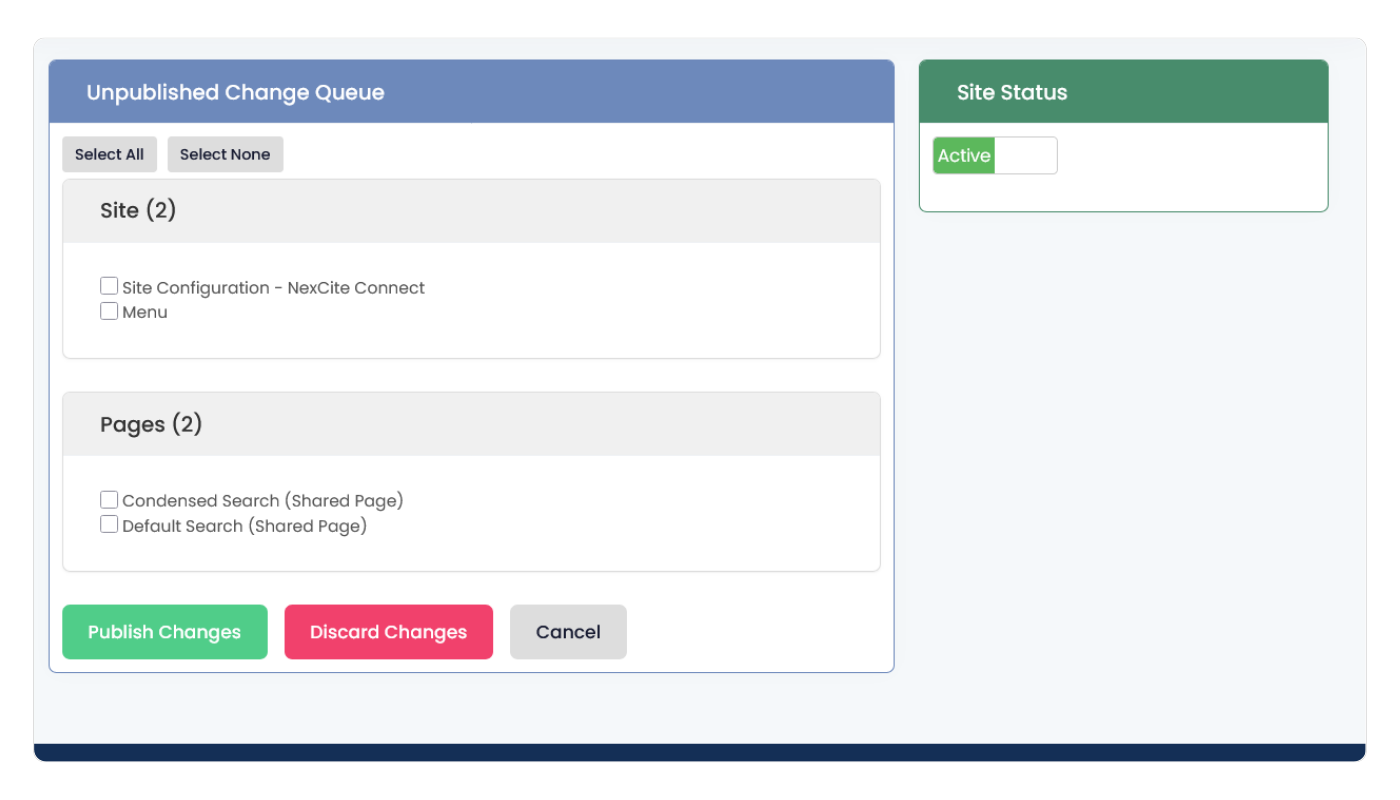
The Unpublished Change Queue shows changes that have been saved but not yet published.
- Site changes affect global settings that apply across your NexCite Connect.
- Pages changes affect individual NexCite Connect search boxes.
Select the checkbox next to each item you want to publish or discard.
Publish Changes
To make updates visible in your integration:
- Select the changes you want to publish.
- Click Publish Changes.
Once published, the selected updates will become visible anywhere your NexCite Connect is displayed.

Discard Changes
To remove unpublished updates:
- Select the changes you want to remove.
- Click Discard Changes.
- Confirm the action when prompted.
Discarding changes removes the selected unpublished updates and restores the last published version.

Understanding Site Status
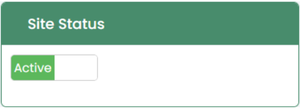
The Site Status panel displays the current status of your NexCite Connect.
- Active – Your published content is available within your integration.
- Offline – This will display a default message stating your site is offline. You will also be given an option to add your own offline message.
Publishing Tips
- Review pending changes before publishing.
- Use Select All to publish multiple updates at once.
- Publish changes after completing a group of related updates.
- Discard changes only when you are certain they are no longer needed.
- Verify that your updates appear correctly wherever your NexCite Connect is displayed.